Know the repository
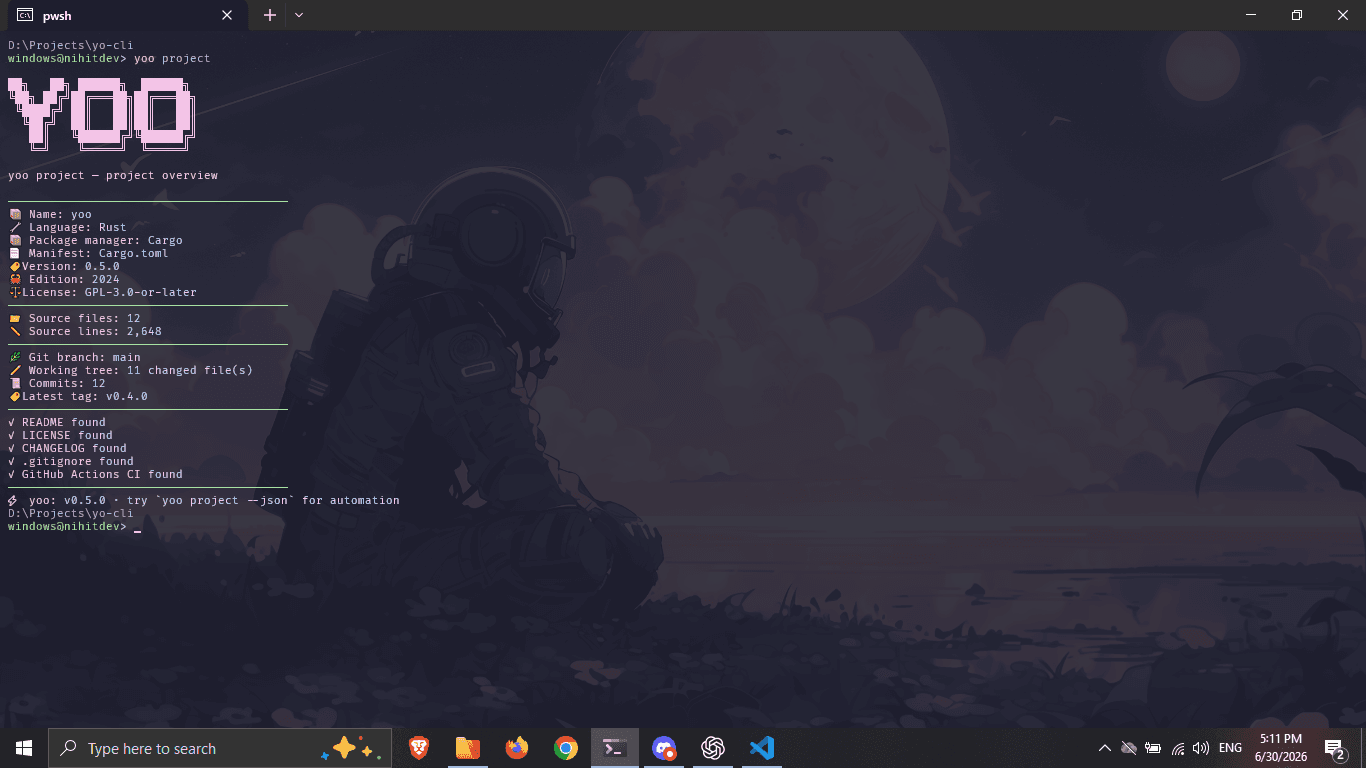
See the detected language, version, package manager, source-file counts, branch, and working-tree state in one scan.
$ yoo projectyoo is a fast, local-first CLI for project metadata, Git state, development environment checks, session timers, and configurable reminders.
What yoo does
Use one focused tool instead of stitching together a handful of commands whenever you enter a repository.
See the detected language, version, package manager, source-file counts, branch, and working-tree state in one scan.
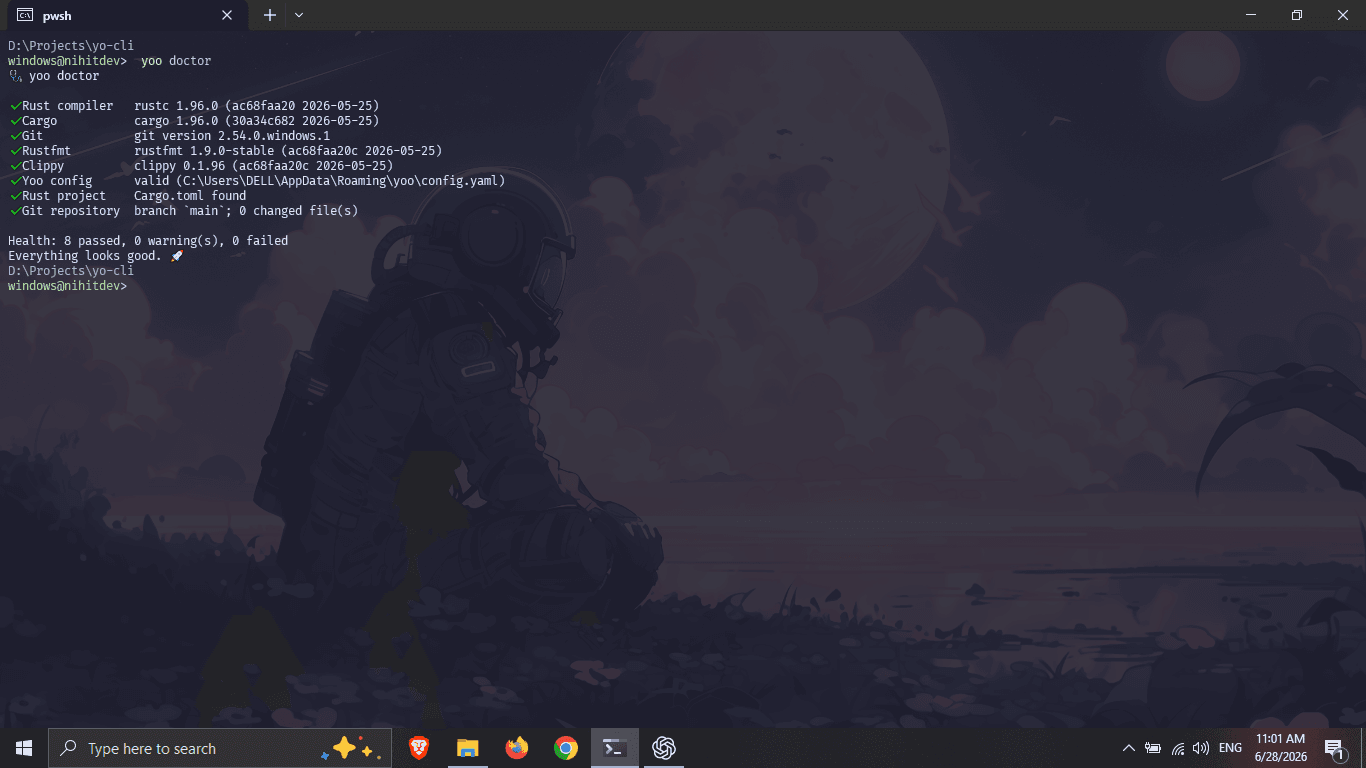
$ yoo projectConfirm that Git, language tools, formatters, linters, project detection, and your yoo configuration are ready to use.
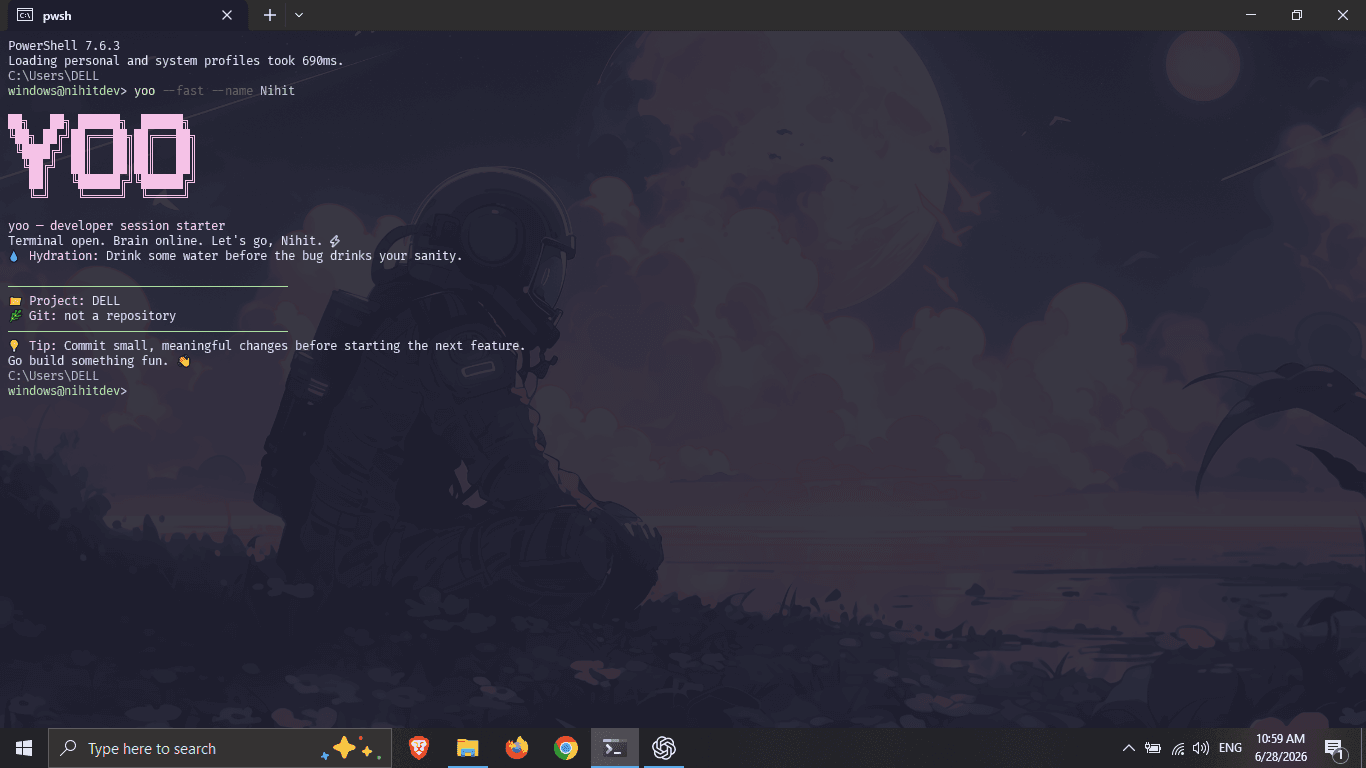
$ yoo doctorOpen a coding session with the project name, branch, pending changes, and one useful reminder already in view.
$ yoo --fastUse stable, undecorated JSON in scripts, editor integrations, status bars, and your own developer tooling.
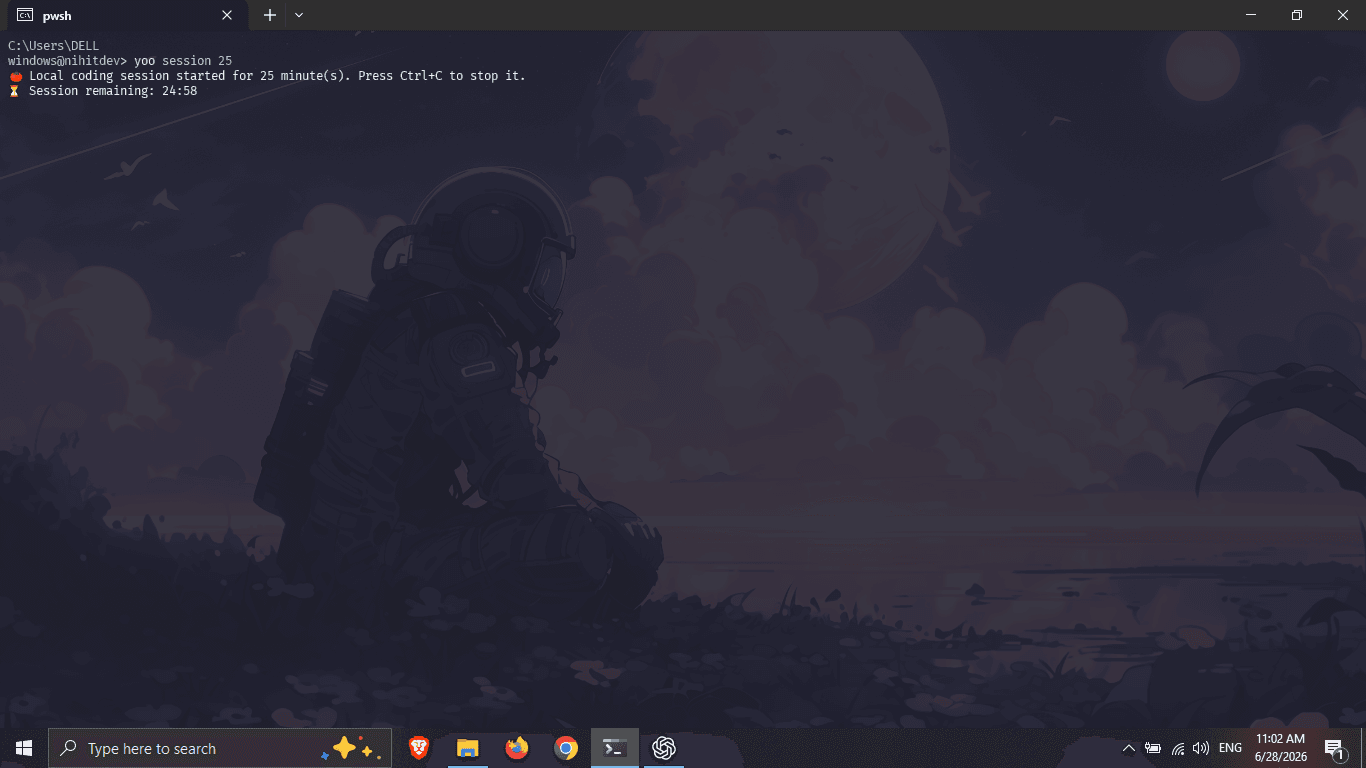
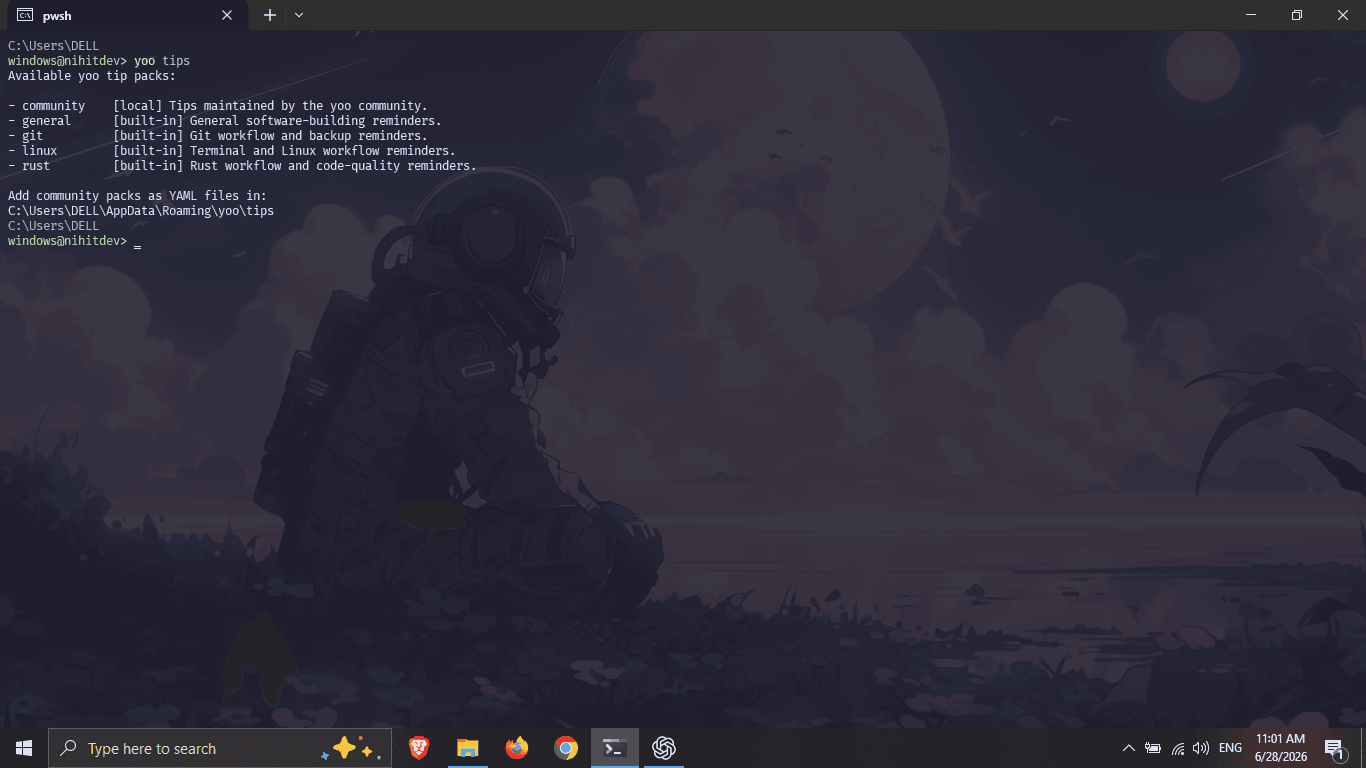
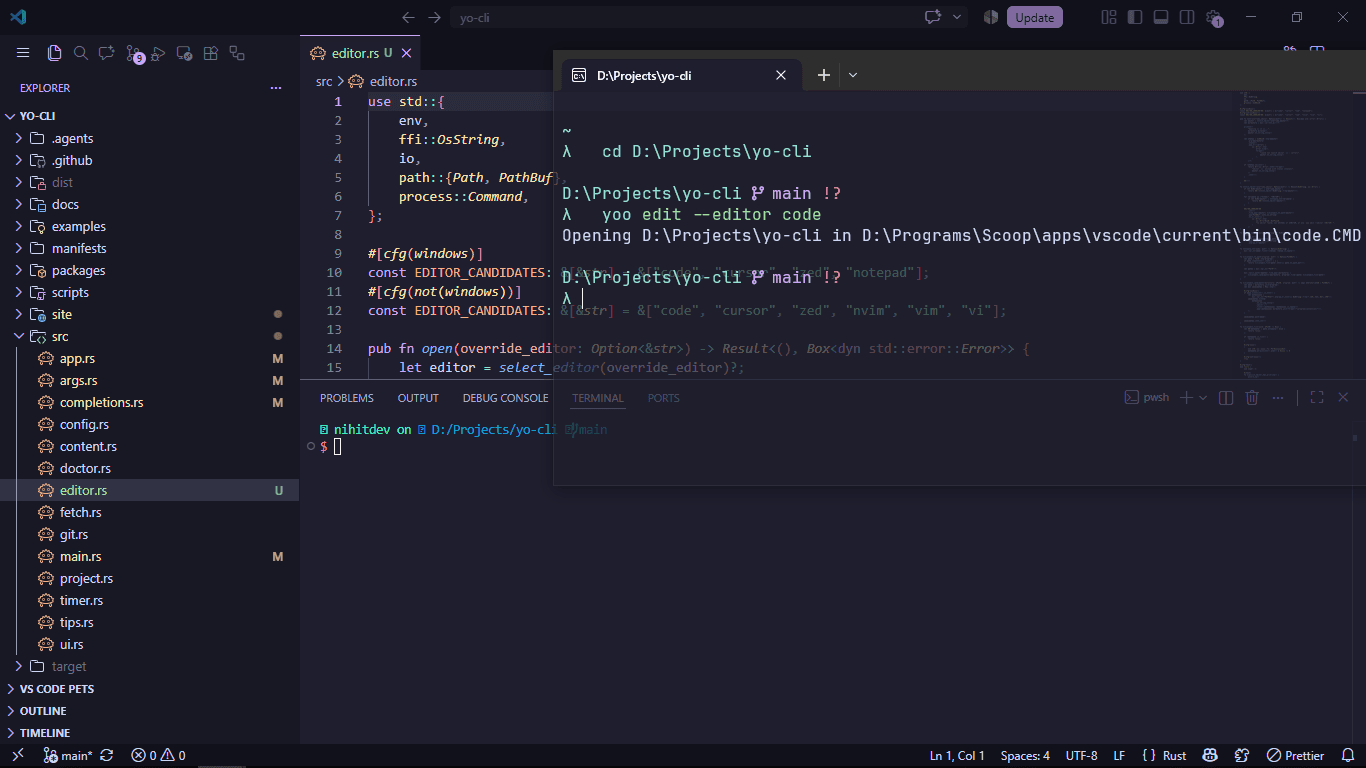
$ yoo project --jsonTerminal output
Every report stays local. JSON output is available for scripts and editor integrations.
Installation
yay -S yoo-bin
# or
paru -S yoo-bincurl --proto '=https' --tlsv1.2 -LsSf https://yo-cli.vercel.app/yo-setup | shcurl -fsSL https://yo-cli.vercel.app/apt/setup.sh | sudo sh
sudo apt install yoosudo dnf config-manager addrepo --from-repofile=https://yo-cli.vercel.app/rpm/yoo.repo
sudo dnf install yooecho 'https://yo-cli.vercel.app/alpine' | sudo tee -a /etc/apk/repositories
sudo apk add yoosudo zypper ar -f https://yo-cli.vercel.app/opensuse yoo
sudo zypper refresh
sudo zypper install yooflatpak remote-add --user --if-not-exists yoo https://yo-cli.vercel.app/flatpak/yoo.flatpakrepo
flatpak install --user yoo io.github.nihitdev.yoonix run github:nihitdev/yo-clicargo install yoonpm install -g @nihit_dev/yoowinget install --id Nihitdev.yoo --exactDistribution
Package status is stated plainly: self-hosted repositories and release artifacts are maintained here, while community channels may have their own review timelines.
Command reference
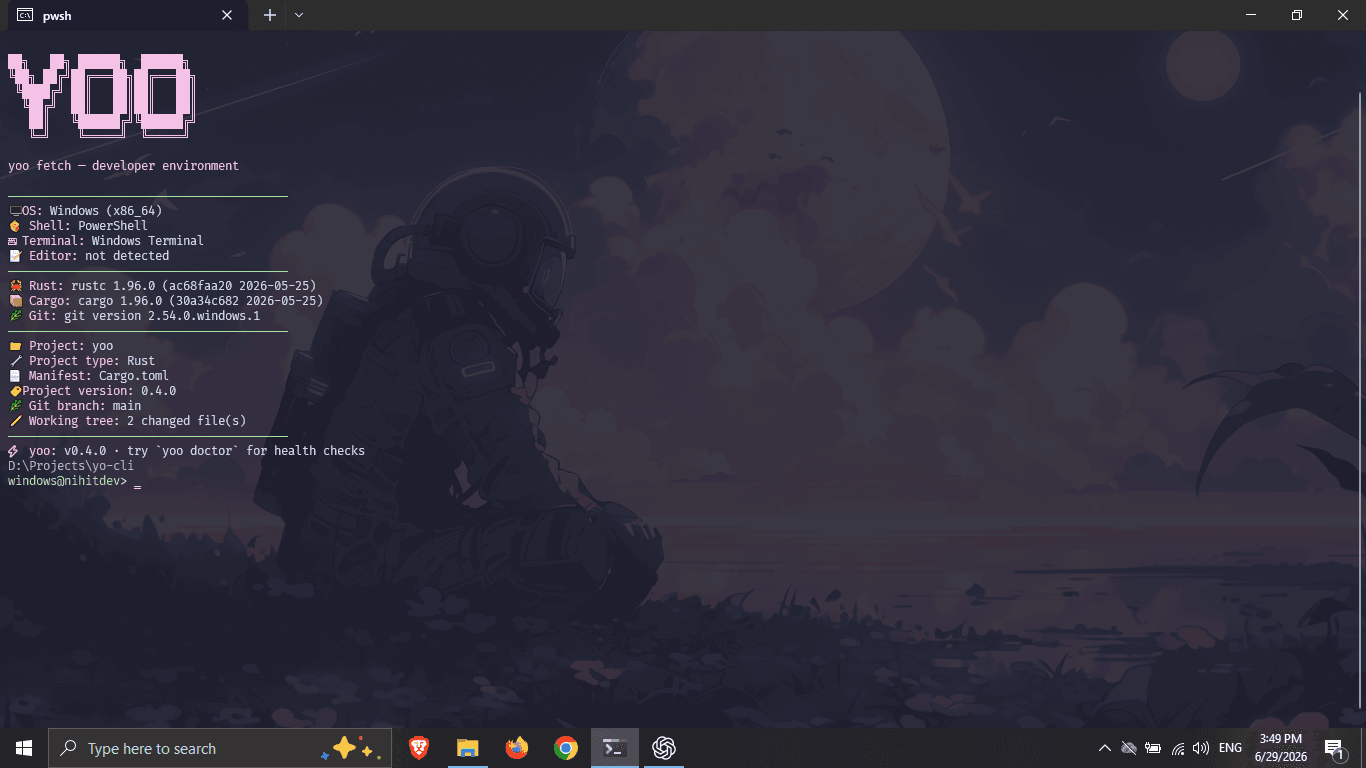
yooCurrent project, Git state, and one configured reminderyoo doctorLocal toolchain and repository checksyoo editOpen the current project in your preferred editoryoo projectProject metadata, source statistics, and Git detailsyoo fetchDevelopment environment and current projectyoo session 25Local coding-session timeryoo completions bashGenerate completions for your shellyoo status, yoo tip, yoo tips, yoo init, yoo config, and yoo help.
Project detection
yoo recognizes common repository markers and package managers automatically. Generated folders and dependencies are skipped while source files are counted.
Cargo.tomlCargopackage.jsonnpm · pnpm · Yarn · Bunpyproject.tomlpip · uv · Poetry · Pipenvgo.modGo modulespom.xml · GradleMaven · Gradle.sln · .csproj.NET SDKMade for automation
Switch project and environment reports to JSON when another tool needs the data. Decorative display flags stay separate, so machine-readable output remains clean.
yoo fetch --jsonyoo project --json{
"yoo_version": "1.0.0",
"project": {
"name": "yoo",
"language": "Rust",
"version": "1.0.0"
},
"git": {
"branch": "main",
"changed_files": 0
}
}Make it yours
Run yoo init to create a readable TOML config and a sample tip pack. Choose a theme, tune the session timer, hide ASCII art, or add reminders for your own team.
[appearance]
theme = "catppuccin"
ascii = true
colors = true

[editor]
command = "code"

[git]
show_branch = true
show_status = true

[session]
default_minutes = 25Neon, Ocean, Mono, Dracula, Tokyo Night, Gruvbox, Nord, Rosé Pine, and Catppuccin ship with yoo.
Project principles
yoo reads local project, environment, and Git information and prints it to your terminal. It does not transmit or retain project data.
Contributing guide →Ready when you are
Install yoo, open a repository, and run your first local project summary.